How to Manage Game Sign-ups in a Group Chat
· updated · organizers · telegram · sign-ups
Where it actually breaks
"Who is playing on Saturday?" Replies gather under the pin: "+1", "I’m in", "me and a friend", "can’t make it". A short list is easy to remember. Then you have to scroll back and reconcile cancellations, late additions and people signed up by friends. Sending a reply takes a second. Keeping the roster current between those replies is the work.
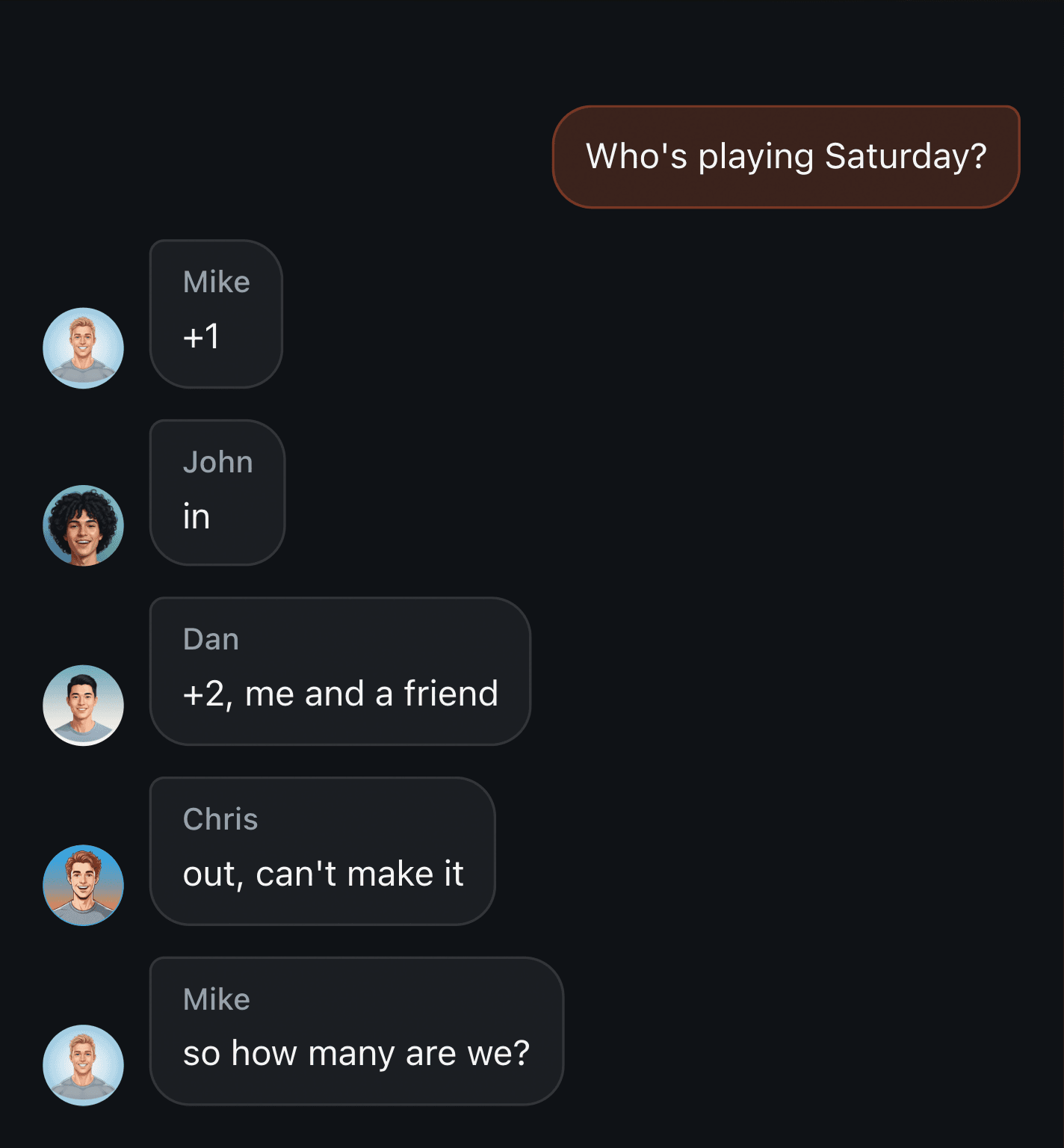
Picture a game for sixteen in a chat with many more members. Some reply early, others change plans and others ask for the roster. Several messages from one player do not mean several places. To get the total, you need each person’s current decision rather than a count of plus signs.
Four ways teams keep the list by hand
A pinned list, a thread, a poll and a spreadsheet can all work. The useful question is who updates the record and how the team learns about changes.
The pinned message the organizer edits. One numbered list, kept current by hand. The most readable option and the most expensive one: every "+1" and every drop-out needs an edit, and the edits arrive while you're at work. Miss two of them and the pinned list quietly stops matching reality, which is worse than having no list at all, because people trust it.
The plus/minus thread. Zero effort to write, all the effort at read time. Nobody can answer "how many are we?" without scrolling the whole thread and doing the arithmetic, so in practice one person does it and everyone else asks that person.
A poll. Useful for a quick yes or no from chat members. Guests, a queue for free places and "me plus a friend" usually need another list. If you use both a poll and replies, agree which one holds the final roster.
A spreadsheet. Useful for a shared list and season history. Agree who transfers changes from the chat, or how players edit their own entries. Otherwise "can’t make it" in the thread and a row in the sheet begin to mean different things.
What breaks isn't the "+", it's the recount
The plus works fine on its own. It's a simple way to say "I'm in". What stops scaling is the counting around it.
- A guest needs a name. "+2, me and a friend" eventually runs into the question of who the friend is. Without a name, nobody knows who's actually showing up. Under ten people everyone already knows. Over ten, they don't.
- Drop-outs land mid-thread. Someone writes "+1" on Tuesday, then changes their mind on Thursday: "out, can't make it." Whoever counts by scrolling has to reconcile those two in order, and not miss the second one.
- People stop counting and start asking. Once the thread is too long to read end to end, "who's on the list?" becomes the most common message in the chat. And the same question shows up in a dozen phrasings: "roster?", "list?", "who's in?", "what's the final lineup", "give me the roster for the game". Reading forty replies to answer it yourself simply stopped being realistic.
- People stop trusting the tally and start checking themselves in it. Under a hand-kept column it's routine to see "wait, am I even on here?", "Alex, did you actually add me?", "is Chris on the list?", "didn't he drop out?" Nobody made a mistake. A hand-kept list just can't be verified except by asking the person who keeps it.
There is no exact threshold of ten or fifteen players. The load depends on how many changes arrive and how many people maintain the list. Even a small roster becomes hard to manage when cancellations arrive in different places and one person answers every question.
The real bottleneck: registering someone else
A separate job is signing someone else up. "Me and Max" means two registrations even though one person sent the message. An organizer may also paste a complete roster, sometimes already grouped into teams. The important part is to preserve those people without silently removing earlier registrations missing from the new version.
A keyword parser that counts "+1" and "-1" can't handle either case. It has no way to know that "add Max too, he's coming" means registering one specific extra person, named halfway through the sentence. The TeamUp assistant reads the message instead of pattern-matching it: "+1 for Max" registers Max specifically, gives him his own line and his own number, and, in the part that matters for teams with regulars, searches the chat for an existing Max before creating a new one, asking you which one you meant only when it genuinely can't tell. Two people sharing a first name on one roster is more common than it sounds: in a squad of forty, two guys called Max is an ordinary Tuesday.
What holds a 10+ roster together
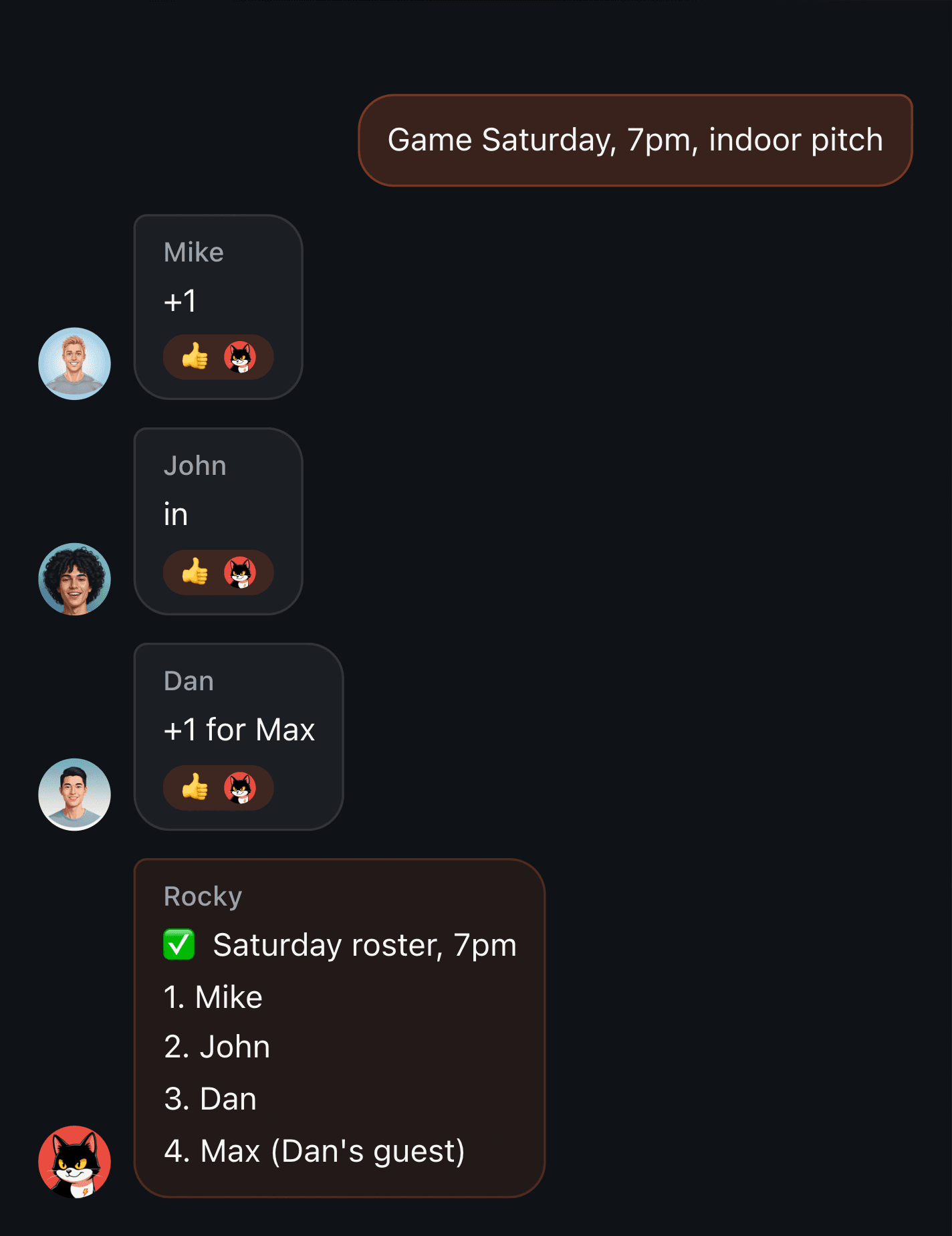
A demo: in a real chat the assistant's reply is written by the model in the chat's own language, so the wording will differ.
The mechanism is deliberately unglamorous. People keep writing in the chat exactly the way they already do: "+1", "in", "add my brother", "take me off". None of that changes. What changes is what happens after someone types it.
- Each player has a separate entry on the current roster. The number helps identify the person you mean, but can change after a cancellation or a complete roster replacement. Request the latest list and check the name before acting by number.
- A guest gets their own line, separate from whoever brought them, instead of vanishing into an unlabeled "+2" nobody can unpack later. If they went in under a placeholder name, renaming them later keeps both their number and their spot.
- "Who's on the list?" is answered from the current state, not from someone's memory of the thread. Ask it however you'd ask a person; what comes back is the roster as it stands.
- With a player cap, extra registrations enter the waiting list. When a confirmed player cancels, the next person can be promoted automatically; the organizer can also change status manually. Check that the promoted player is still available: a changed registration does not confirm their plans.
- A team that already has a finished lineup, pasted from last week or grouped under team names, can hand it over as one block instead of one name at a time. It registers as an ordered list, badge numbers following the order given. Nobody gets removed silently: anyone currently registered who isn't in the pasted list is shown to you, and dropped only if you confirm.
From inside the chat the effect is that a roster of twenty behaves like a roster of six. Ask, get an answer, done.
Honest limits
Worth saying plainly, because a tool that quietly fails at the edges is worse than one that's upfront about them.
A registration needs a game. The organizer creates the first one; if the group has a previous game and no active one, a sign-up can open a new game with some settings carried over. Check the date and conditions. Automatic waiting-list promotion requires a player cap. Team splitting is a separate action, random or manual.
And if your team's chat isn't on Telegram or VK at all, a WhatsApp group for instance, a roster can still run through a public sign-up link instead of a bot in the chat. But that link asks people to log in with Telegram, Apple or VK before they can sign up. "No install" is a fair claim. "No account at all" isn't.
Where to start
Agree where to find the current roster and how to cancel. With Rocky, create a game, set its capacity and check the first registration replies, particularly ones made for friends. Take numbers from a fresh list and distinguish a confirmed place from a waiting-list entry. The getting-started guide walks through setup. Once the roster is ready, team splitting is a separate next step.