TeamUp · Telegram
Organize your next game in Telegram
Your team already has a group chat. Add TeamUp to keep the game details, player list and fee status there too. Players can sign up in plain language, without installing another app.
Open TeamUp in Telegram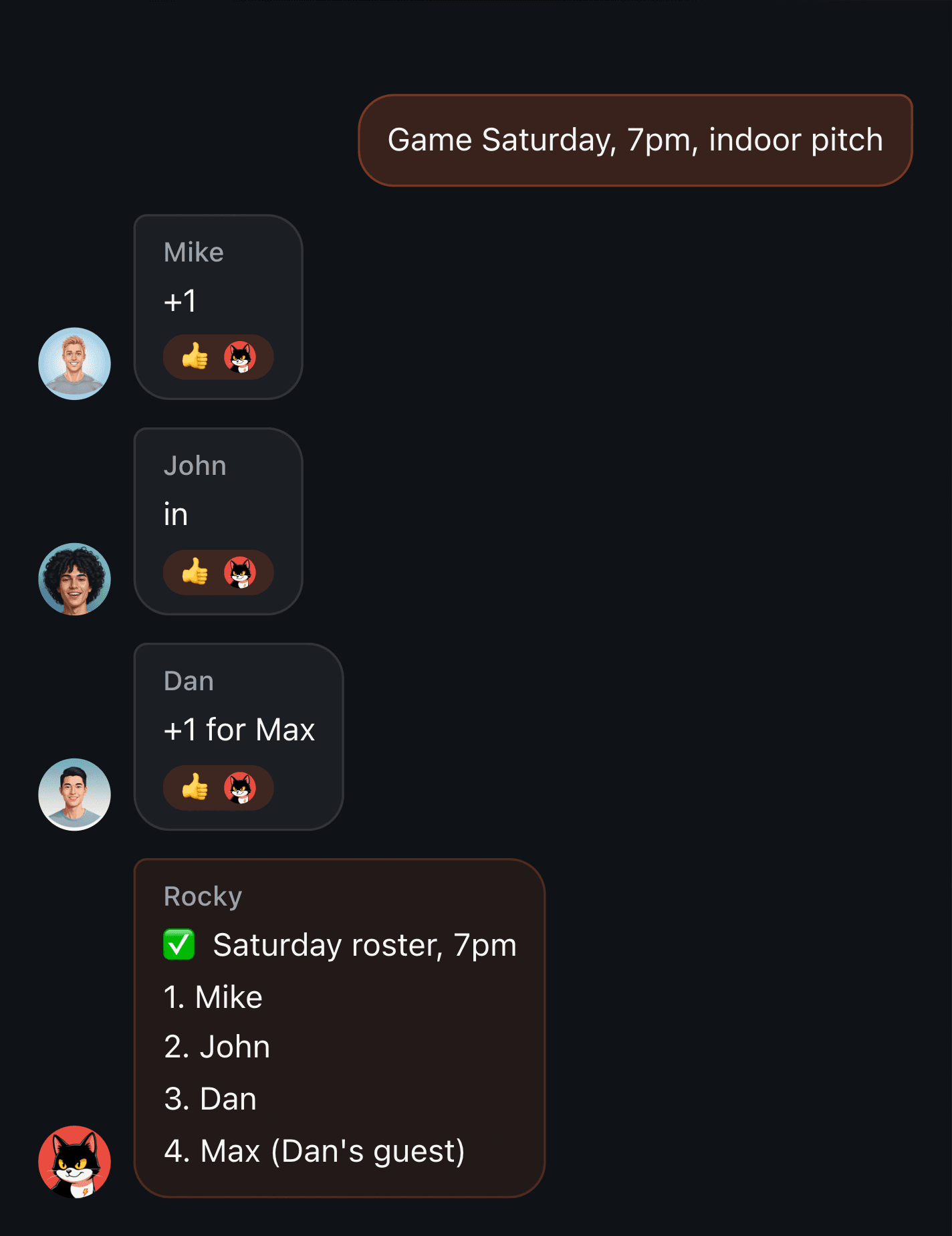
From “who’s coming?” to a player list
Tell the bot the date, time and player limit. Players join or cancel in the chat; once the game is full, new sign-ups go on the waiting list. When a confirmed player drops out, the first person waiting moves into the roster. You can also register a guest by name.
Set up the teams before play starts
Ask for a random split, assign teams yourself, or paste an existing lineup. TeamUp keeps the roster and team assignments together. Random splitting does not assess playing ability: the organizer can make changes when experience, positions or preferred pairs matter.
Keep game fees next to the roster
Set the fee and ask who still owes. Players can report a transfer, including one covering several people. A reported payment remains a claim until the organizer confirms receipt against their bank app. TeamUp tracks that status; it does not verify a bank transfer.
Start with one game
Open the bot, tap Start and use its add-to-group button. Add it to the team’s Telegram group, then ask it to create your next game. Try a sign-up and cancellation before sharing the instructions with everyone. The web and iPhone apps are optional ways to review and edit the same game.
Before your first game
Which sports can we organize?
Football, hockey, basketball and volleyball groups can use the same sign-up flow. Choose the sport and scoring configuration when setting up the game.
Does everyone need the app?
No. Players can interact with the bot in Telegram. The iPhone app and Apple Watch are optional; the watch is useful when someone wants to record the score.
Can we use WhatsApp instead?
For WhatsApp, create a game in the web app and share its sign-up link in your group. Players log in to sign up. TeamUp does not put a bot inside a WhatsApp group.